For architecture & landscape practices
Practice management built for the RIBA Plan of Work.
Built specifically for architecture and landscape practices. Manage leads, fee proposals, ISO 19650 drawing transmittals and stage invoices in one workspace.
- RIBA Stages 0-7
- ISO 19650 Revisions
- Multi-Currency
-
Pipeline & leads
Track enquiries from first contact to won, with weighted forecasts so you know what is coming.
-
Fee proposals
Build priced, RIBA-staged proposals and send branded PDFs. Accepted fees flow straight into the project.
-
Projects & RIBA stages
Every job structured by RIBA work stages, for architecture and landscape practices alike.
-
Invoicing & payments
Raise invoices from completed stages, track payments, and see what is still owed.
-
Drawing issue sheets
ISO 19650 transmittals with revision control, generated as clean PDFs.
-
Time & profitability
Log hours at cost and see which fixed-fee stages are actually making money.
-
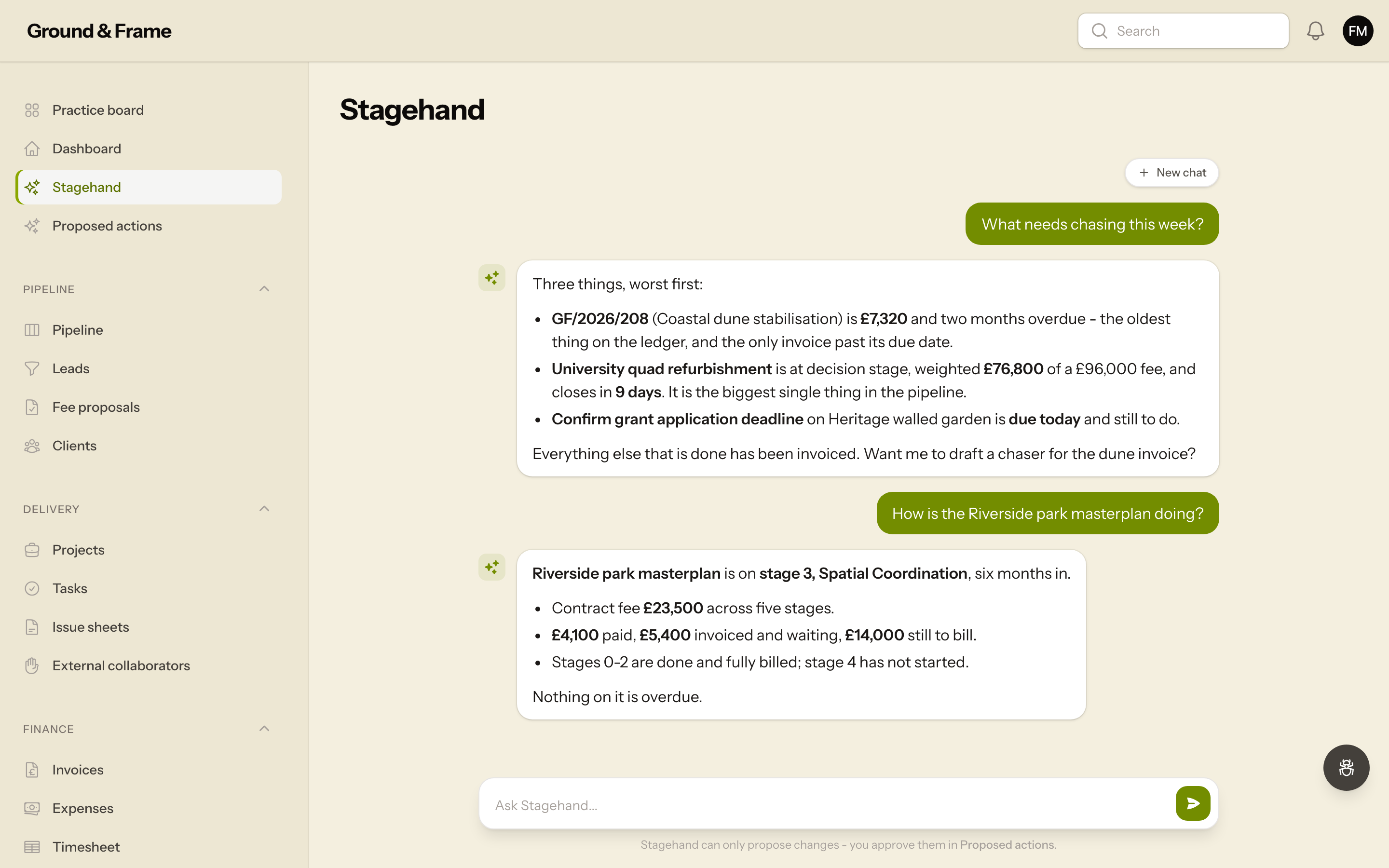
Stagehand, your AI assistant
Ask what needs chasing, what is unbilled or how a job is doing. Stagehand knows your practice, and every change it suggests waits for your approval.
The workbench
One workspace, four jobs it does properly
Every project across its work stages on one board, colour-coded by status, with the programme laid out week by week.
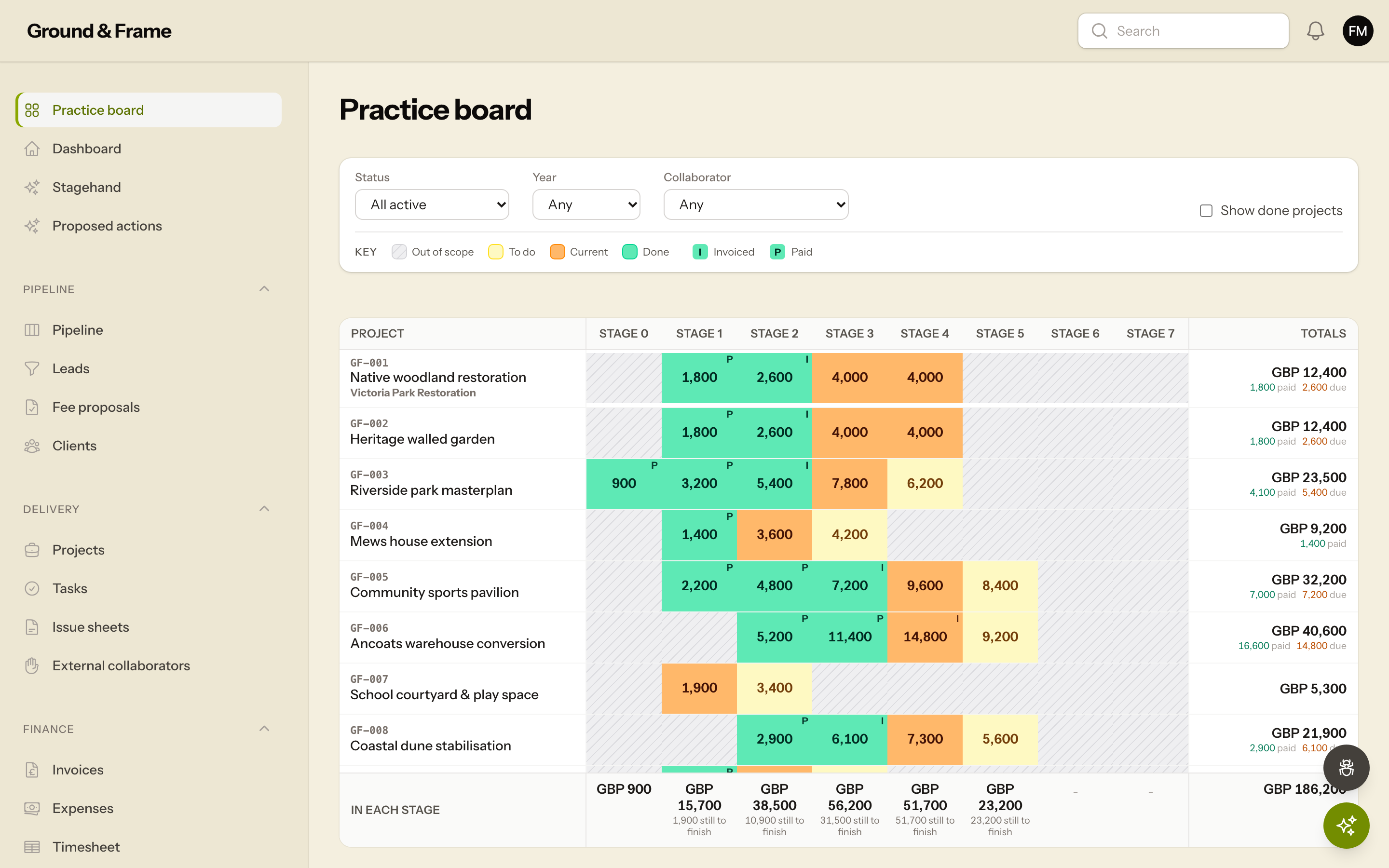
Your whole practice on one board
Every project across its RIBA work stages, colour-coded by status with live fee totals. The spreadsheet you always wished you had - for architecture and landscape studios alike.
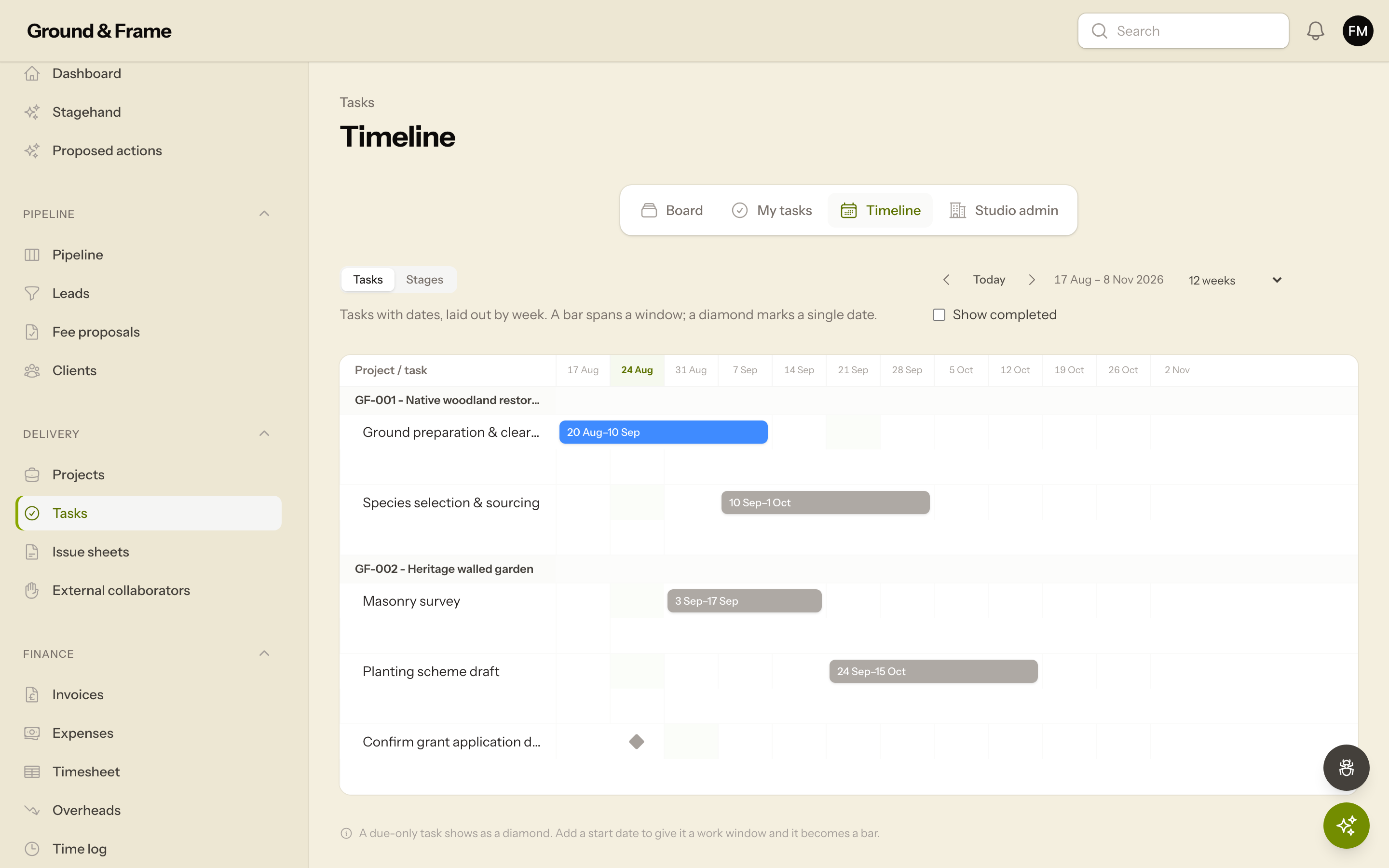
See the whole programme at a glance
Tasks laid out on a week-by-week timeline, grouped by project, so deadlines and workload are obvious months ahead. Page through the weeks or click any bar to reschedule.
Enquiries through to priced, staged fee proposals - with weighted forecasts so you know what is coming and what it is worth.
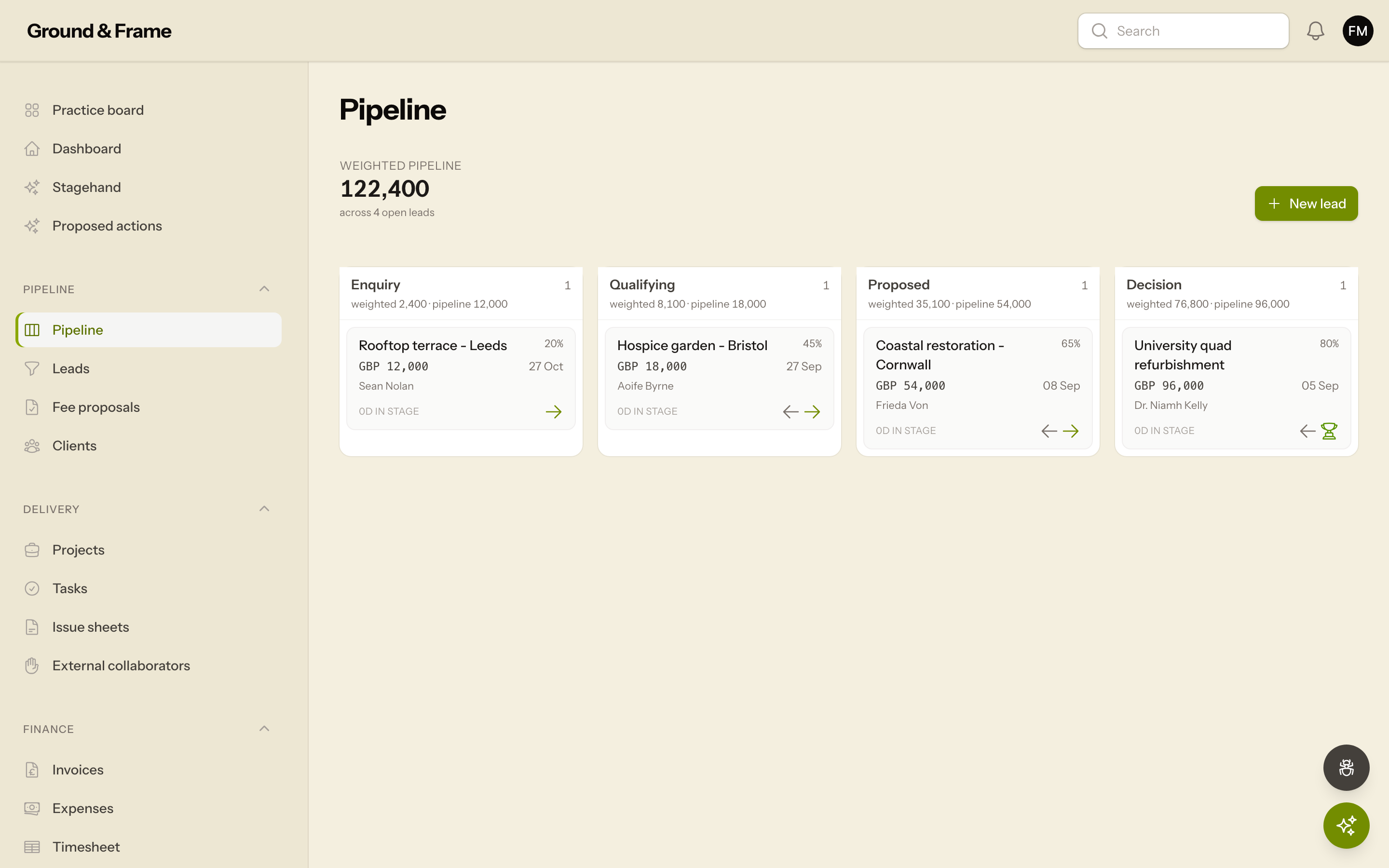
Win more of the right work
A visual pipeline from first enquiry to won, with weighted forecasts so you always know what is coming and what it is worth.
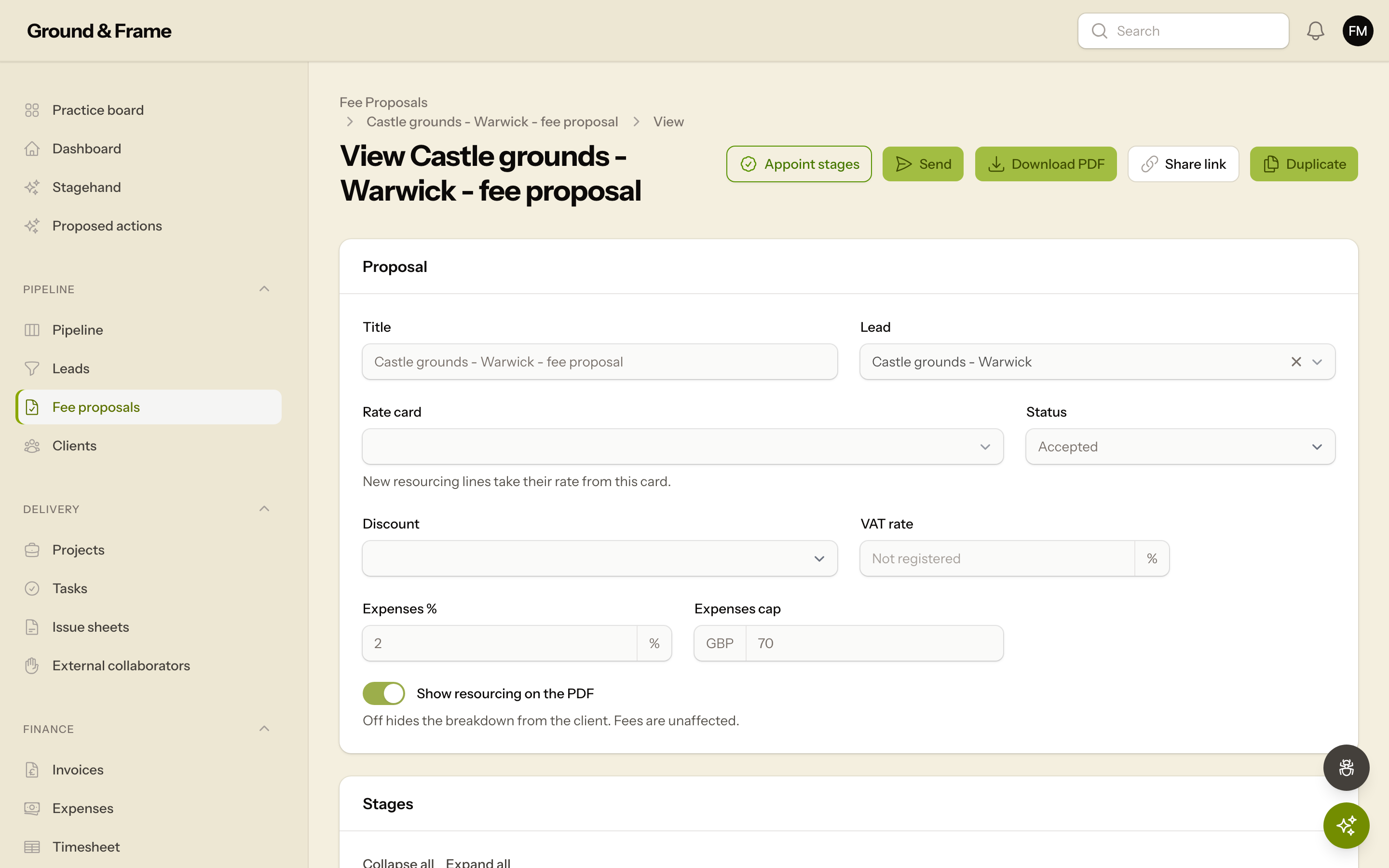
Priced proposals, minus the faff
Build RIBA-staged fee proposals with a resourcing breakdown, send a branded PDF, and let the accepted fees flow straight onto the project.
Drawing registers with automatic revision control, issued as a clean branded transmittal your collaborators can actually open.
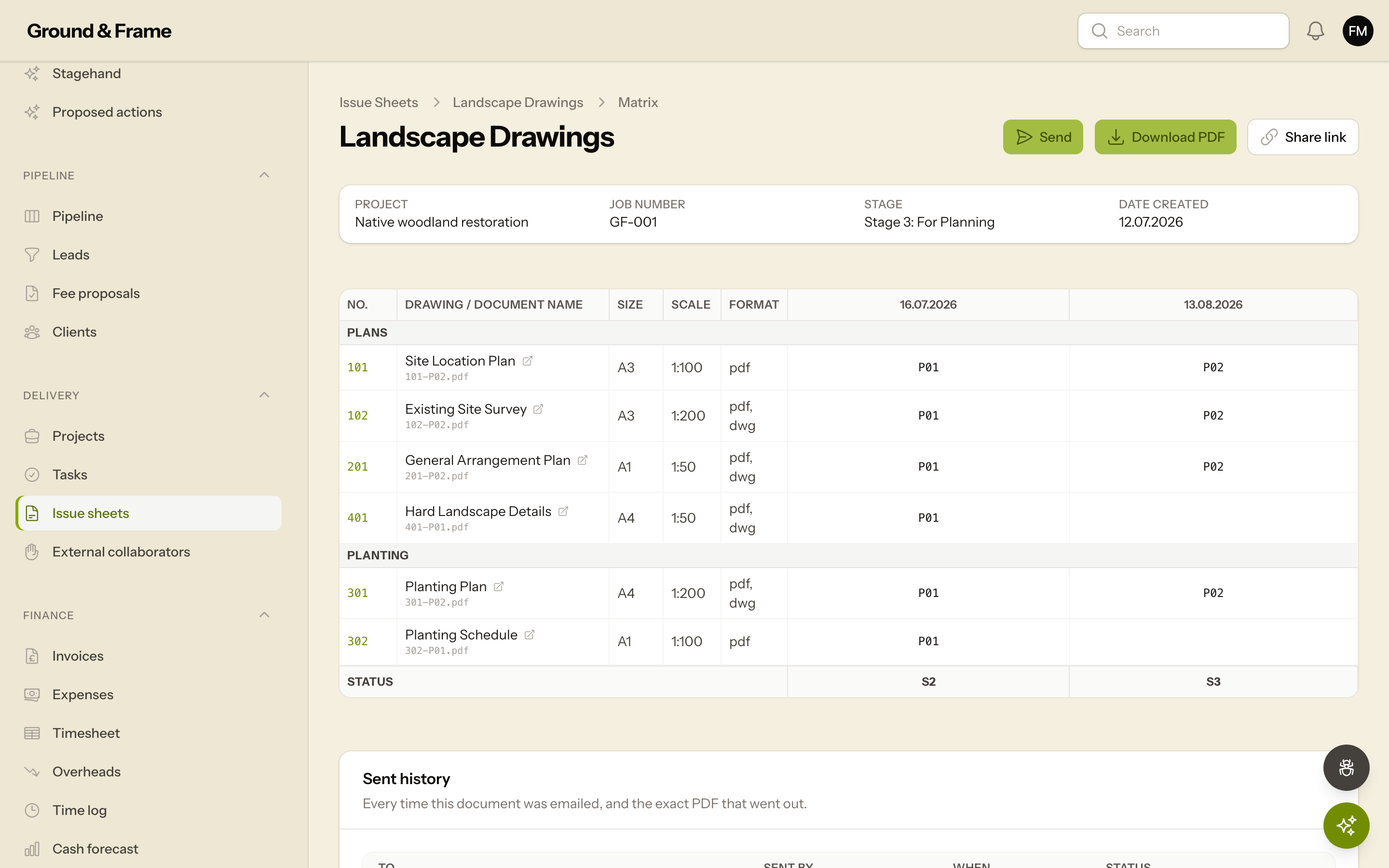
Drawing issues, under control
ISO 19650 transmittal registers with automatic revision control, ready to issue as a clean, branded PDF.
Invoice the moment a stage lands, track what is paid and overdue, and see which fixed-fee stages are really making money.
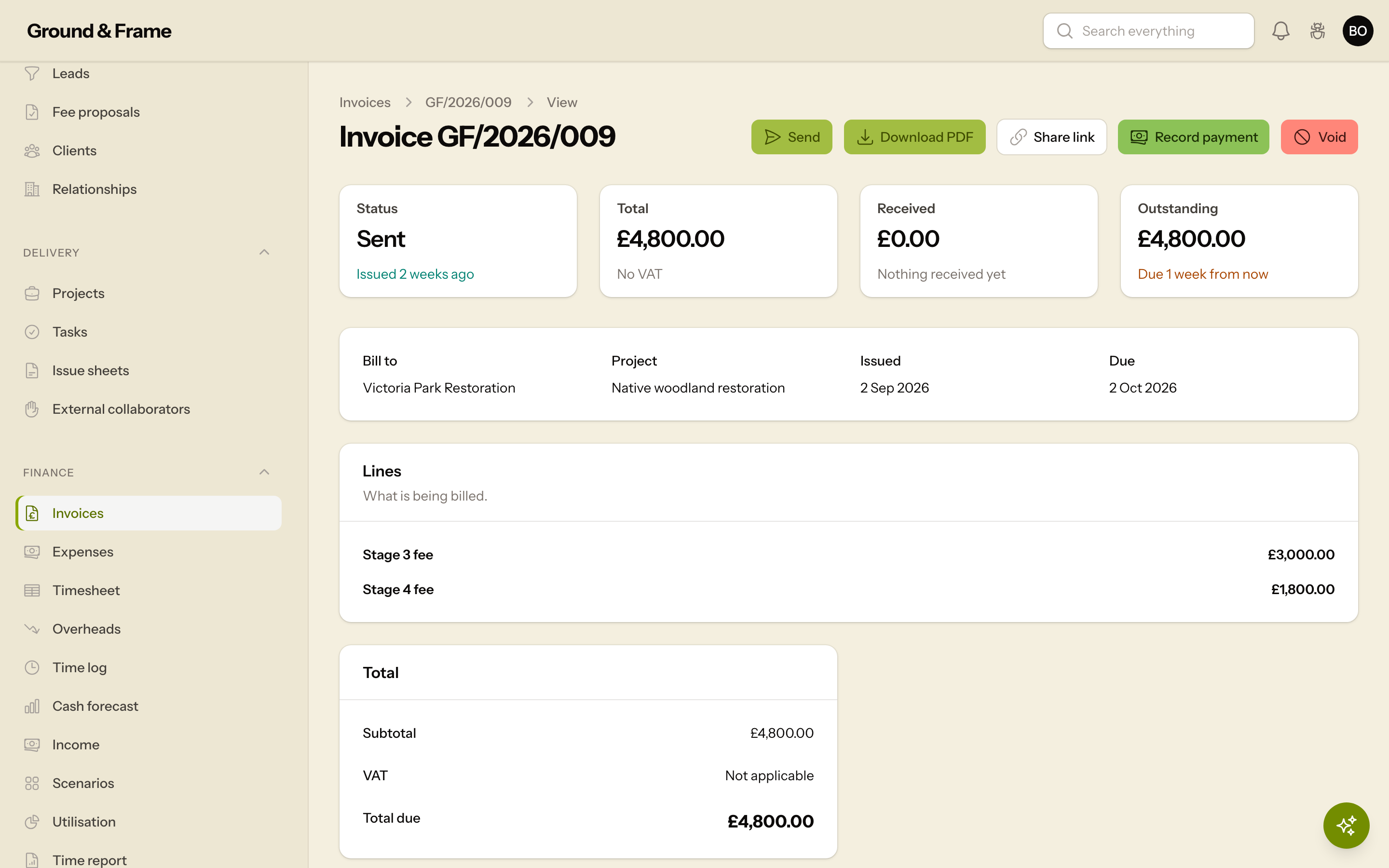
Invoice the moment a stage lands
Raise invoices straight from completed stages with VAT handled, track what is paid and overdue, and never chase the same money twice.
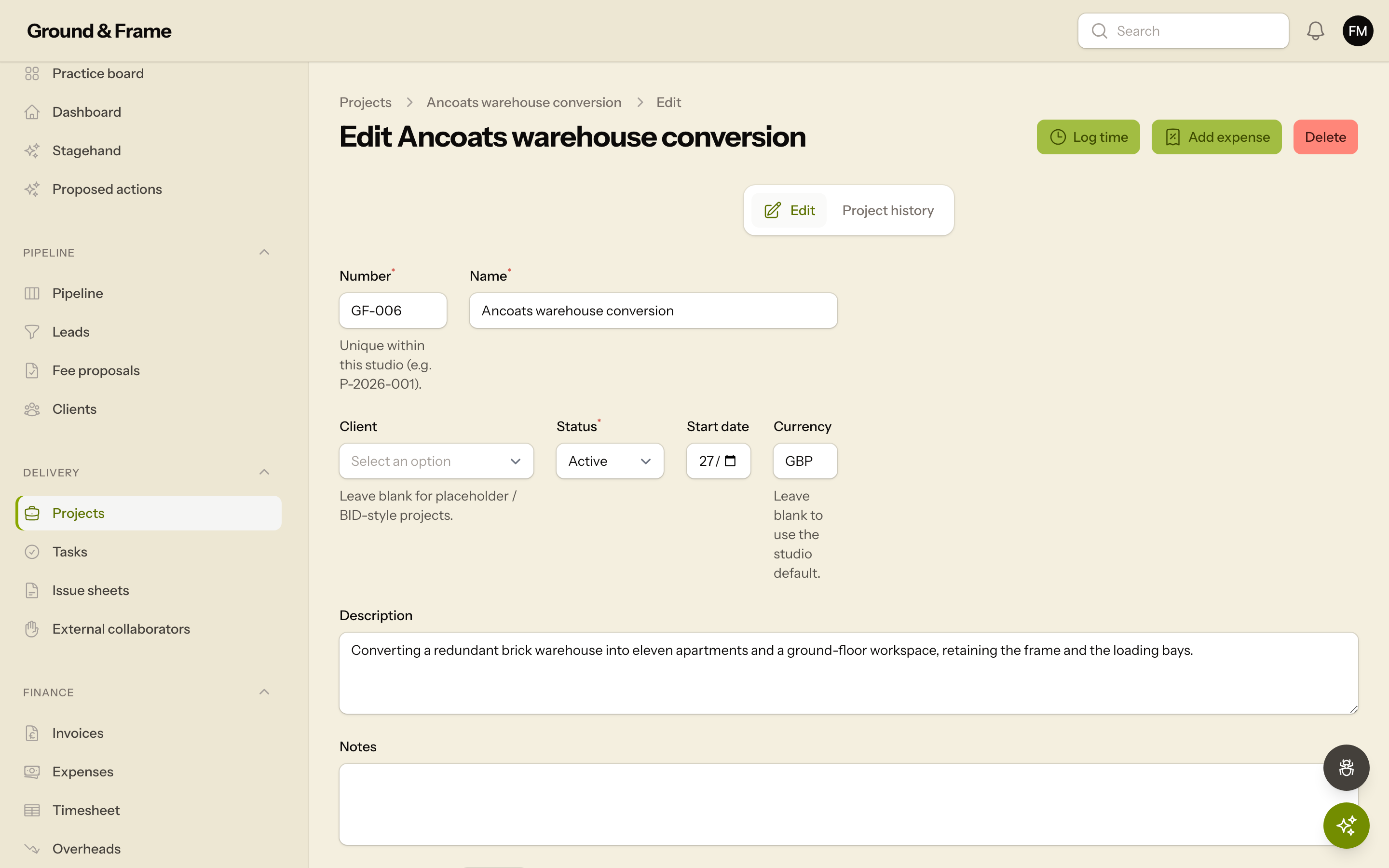
Every job, end to end
Clients, stages, tasks, expenses and time in one place - so a project runs from won bid to final invoice without re-typing anything in three tools.
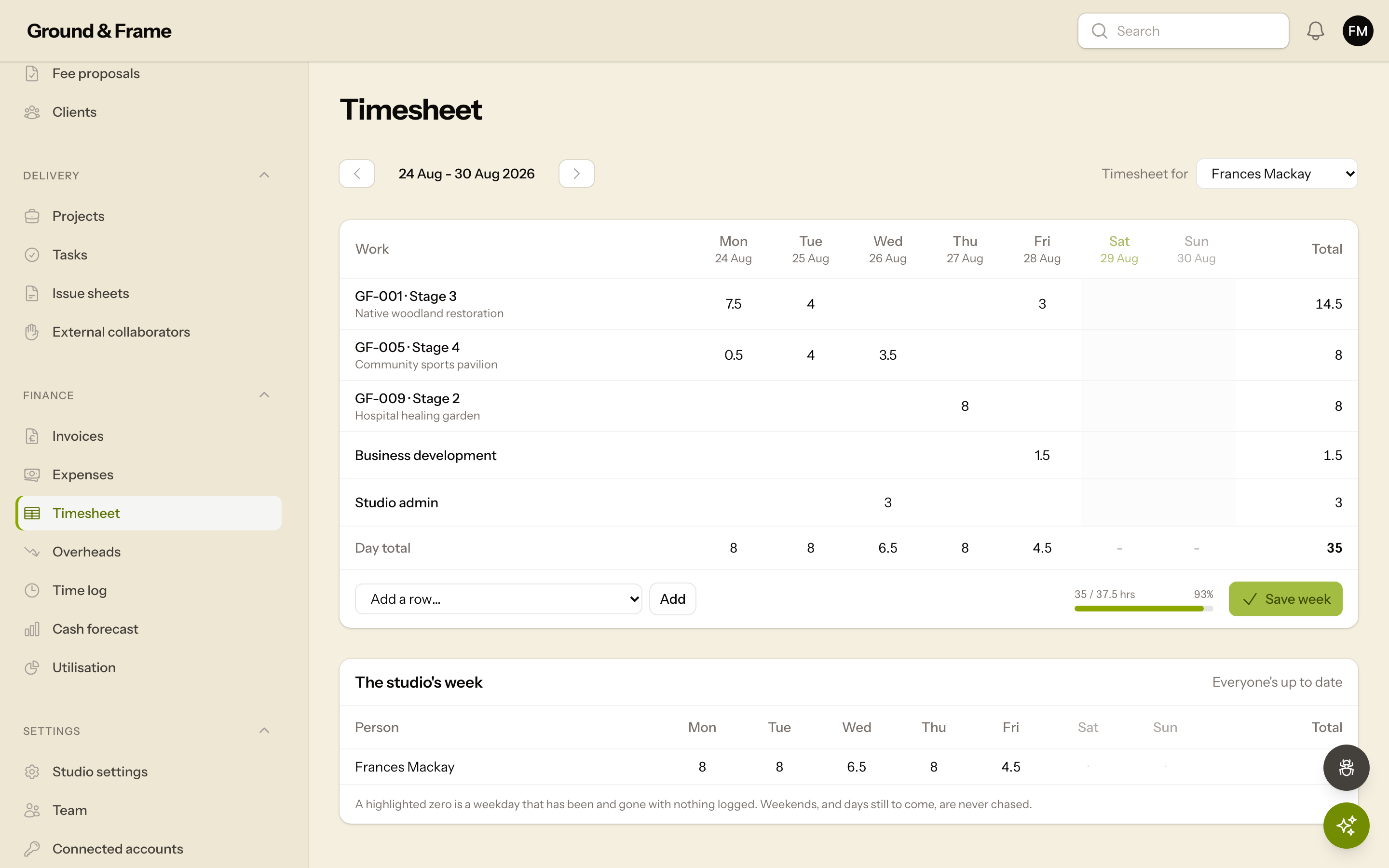
Timesheets that fill themselves in
Most weeks look like the week before, so the timesheet opens with last week's jobs already listed and its hours one tap away. Correct what changed, save, and the week is done - no rebuilding the same grid every Friday.
Built in, not bolted on
An assistant that knows your practice
Stagehand is grounded in your studio's own data. It proposes changes; it never executes one without your approval.
Meet Stagehand. Not a chatbot bolted onto a text box - it reads your live projects, stages, fees, invoices and drawing register, so "what needs chasing this week?" comes back with real numbers against real jobs. It can only ever propose a change; you approve it.
- Read-Only Permissions
- Human-in-the-Loop
- Your Studio Data Only
Why Stagely
Built for the whole job, not just the busywork
Most practice tools manage tasks and timesheets and stop there. Stagely runs a landscape or architecture practice end to end: from the won bid to the branded drawing issue to the invoice your client actually opens.
-
Your drawings, issued properly
ISO 19650 transmittal registers with automatic revision control, branded issue sheets, and a share link that hands a collaborator the latest drawing in one click.
-
Landscape and architecture
RIBA stages, disciplines and conventions that fit how you actually work, not an architecture tool you have to bend into shape.
-
Money that holds up
Rate-card-priced fee proposals, multi-currency, VAT and live profitability: exact to the penny, and snapshotted onto every sent document so history never moves.
-
Client-facing, on your brand
Send a proposal, invoice or drawing issue as a branded PDF or a revocable online link. Your studio’s name on it, never ours.
-
Built with real practices
Shaped week by week by the studios who use it, not built for a persona and sold at you.
-
Less spreadsheet. More studio.
Request alpha access →
Questions?
Is Stagely for architecture or landscape studios?
Both. Stagely is built around the RIBA Plan of Work, which fits architecture and landscape architecture practices alike. If you run projects across the RIBA stages, it is for you.
How do I get access?
Stagely is an invite-only alpha for now. Get in touch and we will set your studio up and walk you through it.
Can I bring in my existing projects and spreadsheet?
Yes. We import your current project spreadsheet, including the stage statuses colour-coded on it, so you start with your real jobs already on the board rather than a blank slate.
What does onboarding look like?
We set up your studio with your branding, currency and VAT, import your data, and give you a live walkthrough. Most studios are up and running the same week.
Which currency does it use?
Your studio works in its own currency, set once in settings and applied across proposals, invoices and reporting. Prices on this site are shown in GBP.
What is Stagehand?
Stagehand is the AI assistant built into Stagely. It is grounded in your studio's own data - projects, stages, fees, invoices, tasks and drawing registers - so it answers about your practice rather than in generalities. It only ever sees what you can see, it never invents a figure, and it cannot change anything on its own: it proposes, you approve.
Is my data private to my studio?
Yes. Every studio is a separate tenant; your clients, projects and finances are only ever visible to your own team.
Request access
Get your studio on Stagely.
Stagely is an invite-only alpha while we get it right with our first studios. Tell us where to send your invite and we will set you up and walk you through it.